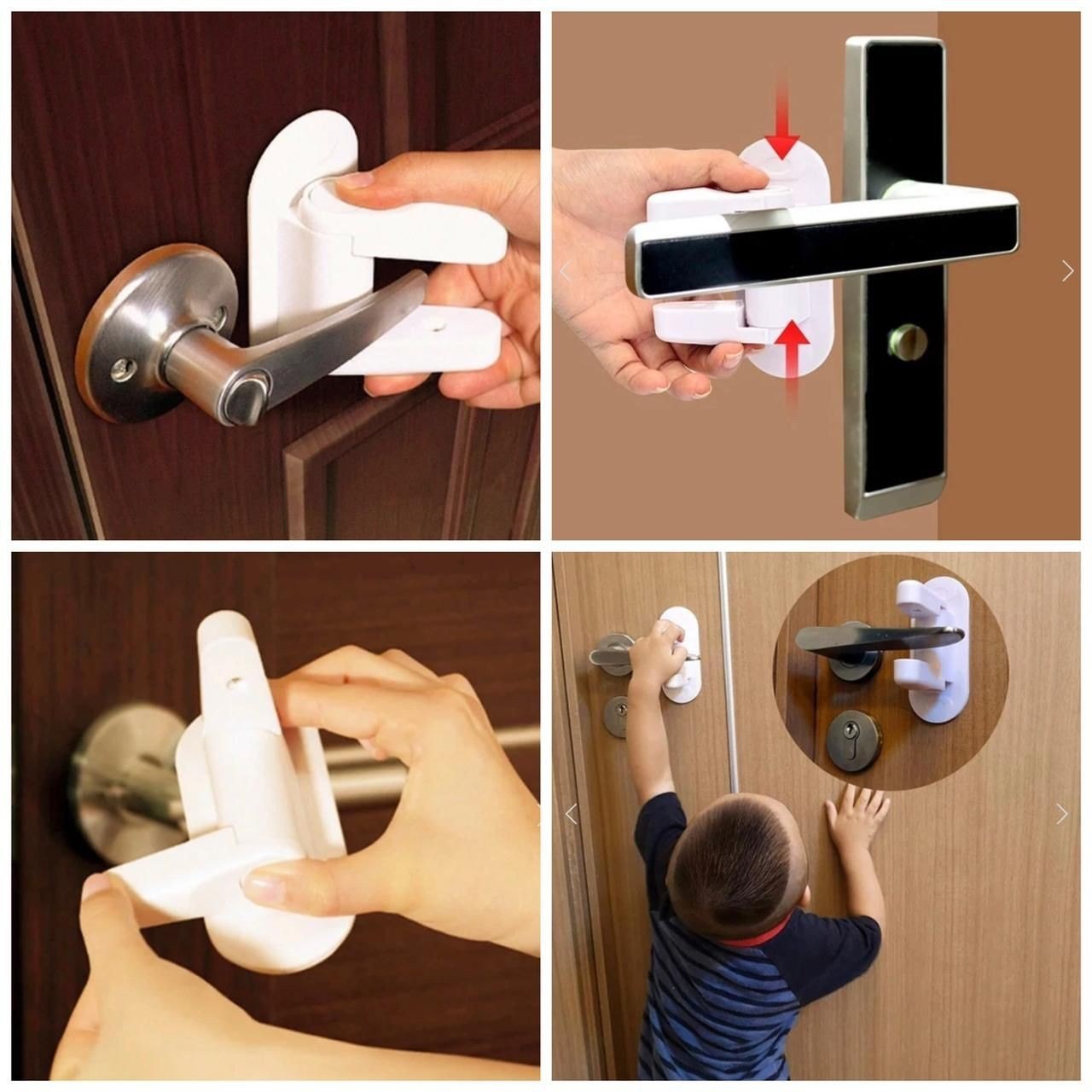
Category: Security

  • Childproof Home Security: Protect Kids and Your Home

    Childproof Home Security: Protect Kids and Your Home

    My friend Ritu spent a whole weekend baby-proofing her flat before her daughter started walking. Cabinet locks, corner guards, outlet covers — the works. Then, a week later, her building’s watchman mentioned a break-in two floors down. She hadn’t thought about security at all. That’s the trap a lot of new parents fall into: childproof home security somehow becomes two separate projects instead of one. Truth is, most of what keeps your toddler safe and what keeps a stranger out overlap more than you’d think. Let’s go through how to actually combine the two, without turning your home into a fortress that’s impossible to live in.

    Why Childproofing and Security Often Get Treated Separately

    Quick answer: Parents usually tackle childproofing and home security as two unrelated projects because they’re marketed that way — baby gates from one store, alarm systems from another. In reality, both aim to control who and what moves through your home, so planning them together saves money and effort.

    Think about it. A childproof lock on your balcony door does two jobs at once — keeps your three-year-old from wandering out, and slows down anyone trying to get in from outside. Nobody markets it that way, but the overlap is real.

    I’ve noticed most parents fix childproofing issues room by room, reactively, usually after a scare. Security gets bolted on later, often after hearing about a theft in the neighbourhood. Doing both together from day one is genuinely more efficient, and honestly, cheaper too.

    Start With an Entry-Point Audit

    Walk through your home and note every single way in — main door, balcony, windows, servant’s entrance if you have one, even that little grille window in the kitchen some older Indian flats still have.

    For each entry point, ask two questions: can a small child open or fall through this, and can an adult intruder get through it too easily? You’ll be surprised how often the answer to both is yes.

    • Main door: needs both a childproof handle guard and a solid deadbolt or smart lock
    • Windows on lower floors: child safety grilles double up nicely as a physical security barrier
    • Balconies: this is non-negotiable if you have a child under 5 — falls from balconies are shockingly common in Indian news reports, and open balconies are also easy intruder access points
    • Backyard or terrace gate: often the most neglected spot in the whole audit

    Doing this audit takes maybe 20 minutes. Skipping it is how people end up buying gadgets for problems they don’t actually have, while ignoring the one window that’s been unlatched for months.

    Smart Locks: Good for Both Jobs

    A decent smart lock genuinely serves double duty here. Most models let you set codes for specific people, log every entry and exit, and — this is the part that matters for parents — they can’t be fumbled open by small fingers the way a traditional latch sometimes can.

    Picture a working mother in Pune whose 4-year-old figured out how to flip the traditional door latch during a video call. Scary five minutes before she found him standing in the building corridor. She switched to a keypad smart lock the same week, set at a height and complexity a toddler simply can’t manage, and hasn’t had the issue since.

    Prices for decent smart locks in India start around ₹6,000 and go up to ₹20,000+ for premium biometric options. Not cheap, but if you’re weighing it against a separate childproof door lock (₹500-1,500) plus a separate security lock, the combined smart lock often works out better value over time.

    One small gripe — battery-powered smart locks need monitoring. A dead battery at the wrong moment is a real headache with a toddler in the house. Keep spares handy.

    Window and Balcony Safety That Doubles as Security

    Grilles get a bad reputation for looking ugly, but they’re honestly one of the most effective childproof home security measures you can install. Modern designs are much slimmer than the old iron bar look most of us grew up with.

    For windows above the ground floor, install grilles with a gap no wider than 10cm — narrow enough that a child can’t slip through, and small enough that it’s not an easy squeeze point for an adult either. Two birds, one grille.

    Balconies need more than just a railing height check (though building codes in most Indian cities require at least 1 metre, worth confirming yours meets that). Add:

    • Vertical bars or mesh netting if you have young kids
    • A lockable balcony door instead of a simple slide latch
    • Motion sensors near balcony access if it’s a common entry point for intruders in your area

    Has your building ever had a break-in through an upper-floor balcony? It happens more than people assume, especially in row houses or independent homes where balconies are reachable from adjacent structures.

    Cameras and Monitoring: Watching for Both Threats

    Quick answer: Indoor and doorbell cameras serve dual purpose in a childproof home security setup — they alert you to intruders and let you check on kids from another room. Look for models with two-way audio and motion zones so you’re not flooded with false alerts every time your child walks past.

    A camera near the main entrance catches unwanted visitors, sure, but it also tells you the moment your child tries to open the front door on their own. That overlap is honestly one of the more underrated wins of home cameras for parents.

    For indoor monitoring, place a camera in the living room or play area rather than the child’s bedroom — privacy matters even for a toddler, and most parenting forums I’ve read agree bedroom cameras feel like a step too far for most families. [link to related guide on best home cameras for Indian households here]

    Set up notifications carefully. If every little movement pings your phone, you’ll start ignoring alerts altogether, and that defeats the entire point.

    Fire and Electrical Safety Overlap More Than You’d Expect

    This bit rarely makes it into either childproofing checklists or security checklists, which is odd, because fire safety genuinely overlaps with both.

    Outlet covers stop toddlers from poking things into sockets. They also happen to reduce electrical fire risk from dust and debris buildup — a real issue during Rajasthan’s dustier months. Install fire alarms near the kitchen and any electrical panel, and make sure they’re loud enough to wake a sleeping child, not just startle an adult.

    A basic smoke detector costs ₹800-2,500 depending on the brand, and honestly, most Indian homes still don’t have one. That’s a gap worth closing regardless of whether you have kids.

    Cabinet and Storage Locks Aren’t Just About Curious Toddlers

    Most parents install cabinet locks to keep kids away from cleaning chemicals or medicines. Fair enough — that’s the obvious use case.

    But the same magnetic or key-based locks work well for securing valuables, documents, or anything you don’t want accessible if someone unfamiliar ends up inside your home, whether that’s a helper, a delivery person waiting inside, or worst case, an intruder.

    • Kitchen cabinets with cleaning supplies: childproof latch, non-negotiable
    • Medicine cabinets: lockable, ideally out of reach entirely
    • A drawer or small safe for documents, spare keys, jewellery: worth adding even if you don’t have kids yet

    I’ll admit this section feels like a stretch to some readers. But ask any parent who’s had a stranger in their home for repair work with a toddler running around — the same lock doing double duty starts to make a lot more sense.

    Building a Room-by-Room Childproof Security Checklist

    Rather than tackling this randomly, go room by room. It’s slower, but you won’t miss anything.

    1. Main entrance — smart lock or deadbolt, door chain out of child’s reach, peephole or camera
    2. Living room/balcony access — grilles, lockable balcony door, motion sensor if it’s ground floor
    3. Kitchen — outlet covers, cabinet locks, stove knob covers, fire alarm nearby
    4. Bedrooms — window locks, cordless blinds (cords are a strangulation risk, genuinely underrated), furniture anchored to walls
    5. Bathroom — cabinet locks for medicines, non-slip mats, door locks that can be opened from outside in an emergency

    That last point matters more than people realize — a bathroom door a toddler can lock from inside but you can’t open from outside is a real 3 AM nightmare scenario.

    Is the Extra Cost Really Worth It?

    Combining childproofing and security upfront costs more than doing childproofing alone — expect ₹15,000-40,000 for a mid-sized flat depending on how much you do yourself versus hire out. That’s not small money.

    But split it against two separate projects done at different times, with separate labour costs and possibly redundant purchases, and the combined approach usually saves 15-20% overall. More importantly, you’re not living with security gaps for months while you “get around to it later.” [link to a home security budget planning guide here]

    Suggested image alt text ideas:

    1. “Smart lock with keypad installed as part of childproof home security setup”
    2. “Balcony safety grille and railing for child safety and intruder prevention”
    3. “Room-by-room childproofing checklist for Indian homes with toddlers”

    Frequently Asked Questions

    What’s the best age to start childproofing a home for security too? Most parents start seriously around 6-9 months, right when crawling begins. That’s also a smart time to review your locks and entry points anyway, since you’re already going room to room making changes.

    Are smart locks safe for homes with small children? Generally yes, and often safer than traditional locks since kids can’t fumble a keypad the way they can a standard latch. Just make sure the backup key is stored somewhere the child can’t reach, not left in an obvious spot.

    Do window grilles reduce natural light or airflow? A little, but modern slim-profile grilles are far less intrusive than the older iron bar designs. Most reduce airflow only marginally if the gap spacing is done right.

    Is it expensive to combine childproofing with home security in India? It’s a genuine upfront cost, typically ₹15,000-40,000 for a full flat, but it’s usually cheaper than doing childproofing and security separately over time, plus you close safety gaps immediately instead of gradually.

    Can I DIY most childproof home security fixes myself? Quite a lot of it, yes — outlet covers, cabinet locks, and basic grilles are simple weekend projects. Smart locks and window/balcony grille installation are better left to a professional for proper fitting.

    How do I stop false alerts from a security camera near my child’s play area? Set a defined motion zone rather than full-frame detection, and adjust sensitivity in the app settings. Most modern cameras let you exclude a specific area, like a play mat, from triggering alerts.


    Conclusion

    Childproof home security doesn’t have to mean two separate to-do lists and two separate budgets. Most of the fixes — smart locks, window grilles, cameras, fire alarms — genuinely protect your child and keep your home secure at the same time. Start with the entry-point audit this weekend, tackle one room at a time, and you’ll likely find you’re closer to a fully secured, kid-safe home than you thought.

    If you’ve been putting off either project because it felt like too much at once, this is your sign to just start with the front door today.
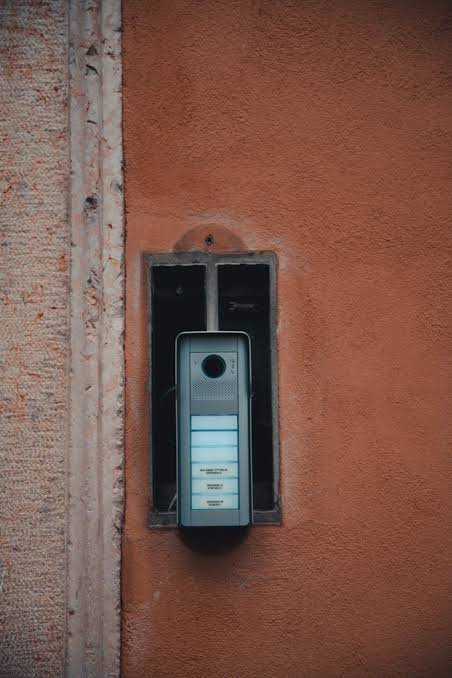
  • Smart Doorbell Camera Review: Worth Buying in 2026?

    Smart Doorbell Camera Review: Worth Buying in 2026?

    My neighbour installed one last monsoon after a delivery guy left a parcel outside for six hours in the rain. She was fuming. Within a week, she had a smart doorbell camera mounted above her gate and hasn’t stopped talking about it since. That got me curious — are these gadgets actually worth the money, or is it just another shiny tech purchase that ends up gathering dust on an app you forget to open? I spent a few weeks testing three different models and talking to friends who’ve owned one for over a year. Here’s what I actually found.

    What Exactly Is a Smart Doorbell Camera?

    At its core, a smart doorbell camera is just a regular doorbell with a camera, microphone, and Wi-Fi chip stuffed inside. It replaces (or sits alongside) your existing bell and sends a notification to your phone the moment someone rings it — or in most cases, the moment it detects motion near your door.

    Some models record continuously. Others only start recording when triggered. That distinction matters more than most buying guides let on, and I’ll get into why in a bit.

    The pitch is simple: you see who’s at the door before you open it. You can talk to them through your phone. You get a recording if a package goes missing. Sounds great on paper.

    How Much Does a Smart Doorbell Camera Cost in India?

    Quick answer: Entry-level smart doorbell cameras in India start around ₹2,500–₹4,000 for basic Wi-Fi models, while feature-rich options with cloud storage, HD night vision, and two-way audio run ₹6,000–₹15,000. Add ₹99–₹299/month if you want extended cloud recording.

    Here’s roughly what you’ll pay across the market in 2026:

    • Budget local brands (Qubo, CP Plus): ₹2,500 – ₹5,000
    • Mid-range with better app and night vision: ₹5,500 – ₹9,000
    • Premium global brands (Ring, Google Nest): ₹10,000 – ₹18,000
    • Cloud storage subscription (optional but often necessary): ₹99 to ₹299 per month, or ₹999–₹2,999 yearly

    That subscription part trips a lot of people up. The camera itself is a one-time cost, sure, but if you actually want to keep footage for more than a day or two, most brands push you toward a subscription. Skip it and you often only get live viewing plus a handful of recent clips before they’re overwritten.

    Key Features Worth Paying For

    Not every feature marketed on the box is worth the extra rupees. A few genuinely make a difference, though.

    Motion detection zones. Basic models trigger on any movement — including a stray dog, a passing scooter, or leaves blowing across the frame. Better ones let you draw a specific zone (just your doorstep, say) so you’re not getting 40 notifications an hour.

    Two-way audio. This one’s underrated. Being able to tell the delivery person to leave the parcel with your watchman, without opening the door or even being home, is genuinely useful.

    Night vision quality. Cheap models give you a grainy black-and-white blob at night. Decent ones show actual detail — enough that you could identify a face or a vehicle number if needed.

    Local storage option (microSD). I’d honestly rank this above cloud storage for most Indian households. It means your footage isn’t held hostage by a subscription, and there’s no monthly bill hanging over your head.

    • Person detection vs generic motion alerts (worth it)
    • Facial recognition (nice, but often unreliable in practice)
    • Package detection (handy if you order online a lot)
    • Pre-recording buffer of a few seconds before the trigger (small but useful touch)

    Installation: DIY or Call an Electrician?

    This depends entirely on whether you’re going wired or battery-powered. Wired installation means tapping into your existing doorbell circuit, and honestly, unless you’re comfortable with basic electrical work, it’s worth paying an electrician ₹300-500 to do it properly. I tried it myself once and nearly fried the transformer. Not fun.

    Battery models are a different story — most just need double-sided tape or two screws, and you’re done in fifteen minutes. No wiring, no electrician, no drama.

    One thing worth mentioning: check your building’s rules before you drill into a shared wall or gate. I’ve heard of at least two housing societies in Jaipur that require prior approval for any external camera installation, mostly because of privacy complaints from neighbours whose front doors face yours.

    Battery vs Wired Doorbell Cameras

    Wired doorbell cameras stay powered constantly, which means better video quality and no charging interruptions. Battery models are easier to install and move, but need recharging every 1-3 months depending on usage — a real hassle if your camera is mounted somewhere hard to reach.

    I’ll be honest — I lean wired if it’s an option for you. Battery models are convenient at first, but there’s something annoying about climbing a ladder every couple of months to recharge a doorbell. My cousin in Jodhpur has a battery unit mounted above a gate with no easy access, and by the time she remembers to charge it, it’s usually already dead for a week.

    That said, if you’re renting, battery is really the only sensible choice. You can take it with you when you move, and you’re not left explaining drilled holes to your landlord.

    Do They Actually Improve Home Security?

    Somewhat, yes — but not in the dramatic “catch every criminal” way the ads suggest. A smart doorbell camera is really more of a deterrent and a record-keeper than an active security system.

    Picture a small business owner running a boutique shop in Jaipur’s Malviya Nagar. She installed one mainly to monitor deliveries during store hours. What she didn’t expect was catching footage of a bike theft attempt outside her shop at 2 AM — footage she handed straight to the local police, who used it to identify the culprit within days. That’s the kind of real-world value these devices offer. Not prevention exactly, but evidence and awareness.

    Would a determined burglar be stopped by a doorbell camera? Probably not on its own. Pair it with decent locks and maybe a motion light, and now you’re talking about actual layered security.

    The Downsides Nobody Talks About

    Reviews online tend to gush about these devices without mentioning the annoying bits. Let’s fix that.

    • False alerts are common, especially in the first week before you tune the motion sensitivity properly
    • Wi-Fi dependency means a power cut or router issue leaves you blind — no internet, no notifications
    • Cloud subscriptions add up over years, and cancelling sometimes means losing access to older footage entirely
    • Some cheaper brands have genuinely weak customer support, and getting a replacement part can take weeks
    • Privacy complaints from neighbours are a real thing, especially in dense residential areas where cameras end up capturing more than just your own doorstep

    I’ve noticed that people rarely mention how much notification fatigue sets in. The first few days, you’re checking every single alert. By week three, most people mute half the notifications and only check the app when something actually happens — which, ironically, kind of defeats the purpose if you’re not careful with your settings.

    Smart Doorbell Camera vs Traditional CCTV

    Quick answer: A smart doorbell camera is cheaper, easier to install, and gives phone alerts — ideal for a single entry point. Traditional CCTV covers a wider area with multiple cameras but costs more, needs professional setup, and lacks built-in two-way audio for most budget systems.

    If you’ve got a large compound, multiple gates, or a farmhouse-style property, a smart doorbell camera alone won’t cut it — you’ll want a proper CCTV setup with multiple angles. But for a standard flat, independent house, or small shop with one main entrance, a doorbell camera often does the job for a fraction of the cost and hassle. [link to a related CCTV vs doorbell camera comparison guide here]

    Is It Worth the Investment? My Honest Take

    For most urban Indian households, yes — I think it’s worth it, with some caveats. The ₹4,000-8,000 mid-range models hit a reasonable sweet spot of features versus cost. If you live alone, work long hours, or deal with frequent deliveries, the peace of mind alone justifies the price.

    Where I’d push back on the hype: if you already have a watchman, a well-lit entrance, and rarely have package theft issues, you might be paying for a problem you don’t really have. Not every home needs one just because it’s trendy. [link to a beginner’s guide on home security basics here]

    Suggested image alt text ideas:

    1. “Smart doorbell camera mounted on a home entrance gate in India”
    2. “Person viewing smart doorbell camera live feed on smartphone app”
    3. “Comparison of wired versus battery powered smart doorbell camera installation”

    Frequently Asked Questions

    Does a smart doorbell camera work without Wi-Fi? Not really. Most models need an active internet connection to send alerts and stream live video. Some do local recording to a microSD card even offline, but you won’t get real-time notifications until Wi-Fi is back.

    Can smart doorbell cameras be hacked? It’s possible, though rare if you use strong passwords and enable two-factor authentication. Stick to known brands with regular firmware updates rather than unbranded ones from marketplace sellers — that’s usually where the security gaps show up.

    How long does the battery last on a battery-powered doorbell camera? Anywhere from 1 to 4 months depending on how much traffic your door gets and how the motion sensitivity is set. Busy entrances with frequent triggers will drain it faster, sometimes within a few weeks.

    Do I need a subscription to use a smart doorbell camera? Not strictly, no. You can view live footage without one on most models. But if you want recorded clips saved for more than 24-48 hours, a cloud subscription (or a microSD card slot) becomes necessary.

    Is a smart doorbell camera legal to install in an apartment in India? Generally yes for your own doorstep, but many housing societies have rules about cameras that might capture a shared hallway or a neighbour’s door. It’s worth checking your society bylaws before installation to avoid disputes.

    Which is better — Ring, Nest, or Indian brands like Qubo and CP Plus? Global brands like Ring and Nest generally offer smoother apps and better AI detection, but cost more and sometimes have slower Indian customer support. Local brands are budget-friendly and improving fast, though build quality can vary between models.


    Conclusion

    So, is a smart doorbell camera worth buying in 2026? For most people juggling deliveries, unpredictable visitors, and a general want for peace of mind, I’d say yes — just go in with realistic expectations. It won’t replace a full security setup, and it won’t stop every problem at your door. But it will give you eyes on your entrance when you’re not physically there, and that alone has real value.

    If you’re on the fence, start with a mid-range battery model before committing to a wired premium setup. Test it for a month, see how you actually use it, then decide if it’s worth upgrading. Your doorstep — and your delivery guy — will thank you.